


Most comparisons of web push and mobile push start with features. That is the wrong starting point for an established eCommerce brand. Both channels deliver a short message to a lock screen. What differs is who has granted you permission, on which device, and whether you own the surface where that permission was collected.
So the useful question is not which channel is better. It is which one reaches the customers you already have and the visitors you are already paying to acquire. Answer that first, and the rest of the decision (tooling, flows, budget) gets much easier.
Key takeaways
- Web push runs through the browser and needs no app. Mobile push needs an installed app plus operating system permission.
- Your addressable audience is the number of people who can receive a message, not the number of people who visited or installed.
- iPhone web push has a specific requirement: the site must be added to the Home Screen as a web app. That shapes how much of your mobile traffic web push can realistically reach.
- Push works best as a supporting layer behind email and SMS, built mostly from behavior-triggered messages rather than broadcasts.
- If you have no app, the decision is already made. If you have an app with a real installed base, mobile push earns a place. Many brands will use both.
What web push and mobile push actually mean
Web push is a permission-based notification delivered through a browser. A visitor sees a native prompt, clicks allow, and your site can message them later, even after they leave the tab. No app is involved, and no email address or phone number is collected.
Mobile push is a notification sent by an installed app. The customer has to download the app first, then grant notification permission at the operating system level. Everything you send depends on that install.
The shared mechanic matters more than the difference. In both cases, the customer has to say yes, and that yes is a limited asset. Once someone declines a prompt, the practical path back is through device or browser settings, which few people use. A badly timed prompt does not just lose a subscriber. It closes the door.
Why the audience, not the feature list, decides it
Think of addressable audience as a chain. Of everyone who touches your brand, some visit the site, some of those can be prompted, some accept, and some stay subscribed once the messages start arriving. Each channel has a different chain.
| Factor | Web push | Mobile push |
|---|---|---|
| What you need | A website and a browser prompt | A built and maintained app with an installed base |
| Who it can reach | Site visitors who grant browser permission, including people who never give an email | Only customers who installed the app and allowed notifications |
| Where the audience comes from | The traffic you already pay for | App installs, which is a separate acquisition problem |
| Main constraint | Browser and device support, including the iPhone Home Screen requirement | Install base size and OS permission rates |
| Best use | Return visits, cart and browse reminders, back-in-stock style nudges | Habit-driven re-engagement for customers who already chose your app |
For most DTC brands, the web chain is bigger by default because the website is where the audience already is. An app is a second product with its own acquisition cost. Unless a meaningful share of your repeat customers already live in the app, mobile push reaches a small slice of your base.
The iPhone question for web push
This is the objection that comes up most in decision calls, and it is fair. On iPhone and iPad, web push is not triggered from an ordinary Safari tab. WebKit announced web push for Home Screen web apps with iOS and iPadOS 16.4. A web app added to the Home Screen can request permission, and only in response to a direct action, such as tapping a subscribe button.
In practice, that means an iPhone visitor has to add your site to the Home Screen before you can ask. Many shoppers will never do that for a store they buy from twice a year. So the iPhone slice of your mobile traffic is only partly reachable through web push, and any plan that assumes otherwise will overstate the audience.
This is where a brand with a real app has an edge. App users on iOS go through the standard OS prompt, with no Home Screen step. If your customer base skews heavily to iPhone and you already have an app, mobile push closes a gap web push cannot.
What the opt-in data says, and what it does not
Opt-in rates are the clearest sign that push is not a default-on audience anymore. The Batch push benchmark covers messages sent between July 2024 and July 2025 across apps and websites. It reports Android opt-in falling from 85% to 67% in a year after Android 13 aligned its consent policy with Apple’s model, and iOS dipping from 58% to 56%, for an overall average of 61%. OneSignal’s 2024 benchmarks describe the same shift, noting that the gap between Android and iOS has narrowed since the 2022 change.
Read these as app-level directional figures from vendor datasets, not as targets for your store. Opt-in varies by category, prompt design and audience, and a vendor benchmark mixes industries that behave nothing like eCommerce. The practical lesson is narrower: neither channel hands you reach by default. Consent has to be earned, then protected.
The same Batch study found that contextual push, triggered by an action or a defined time, averaged a 14.4% open rate against 4.19% for generic sends. Whatever your own numbers turn out to be, the direction is the one to plan around. Push earns its place in flows, not in blasts.
What a web push notification looks like in eCommerce
A concrete example helps. This is an illustrative message, not a result from a named brand:
- Trigger: a visitor who allowed notifications viewed a product twice and left without adding to cart.
- Message: “Still thinking about the trail runner? It’s available in your size.”
- Action: one tap returns them to the product page.
Notice what makes it work. It is tied to behavior, it names the product, and it is short. The generic alternative, “New arrivals are here,” is the kind of broadcast that trains people to disable notifications. The same logic applies to mobile push for an app user, with the difference that the audience is smaller and more committed.
Can you send push notifications from a web app?
Yes. A web app that has been added to the Home Screen on iPhone or iPad can request permission and send notifications once the user allows them. WebKit’s documentation says these notifications show on the Lock Screen and in Notification Center, like notifications from other apps. Browsers on desktop and Android can also deliver web push to subscribers who opted in on your site.
One consequence for planning: a progressive web app is a reasonable middle path for brands that want an app-like surface without building native apps. It still depends on the customer adding it to their Home Screen, so treat it as an audience you build deliberately, not one you get for free.
Where push sits in the retention system
Push is rarely the first channel to build, and it should not compete with the others. In a system view, email carries the widest reach and the most context. SMS handles time-sensitive moments. Push catches customers while they are browsing or returning, and gives you a way to re-engage someone without asking for an inbox check.
That is how we scope it at Retention Side. Our push notifications service begins by evaluating traffic volume, device mix, consent rates and overlap with existing channels before deciding whether push adds value at all. The aim is a supportive layer for reminders, return visits and unfinished actions, with guardrails so push does not duplicate email or SMS. A cart reminder that arrives on three channels within an hour is not amplification. It is noise.
The sequence matters too. If email deliverability is weak or flows leave lifecycle gaps, adding push mostly spreads the same problems across another channel. Fix the email foundation first, then add push where the audience data shows a real gap.
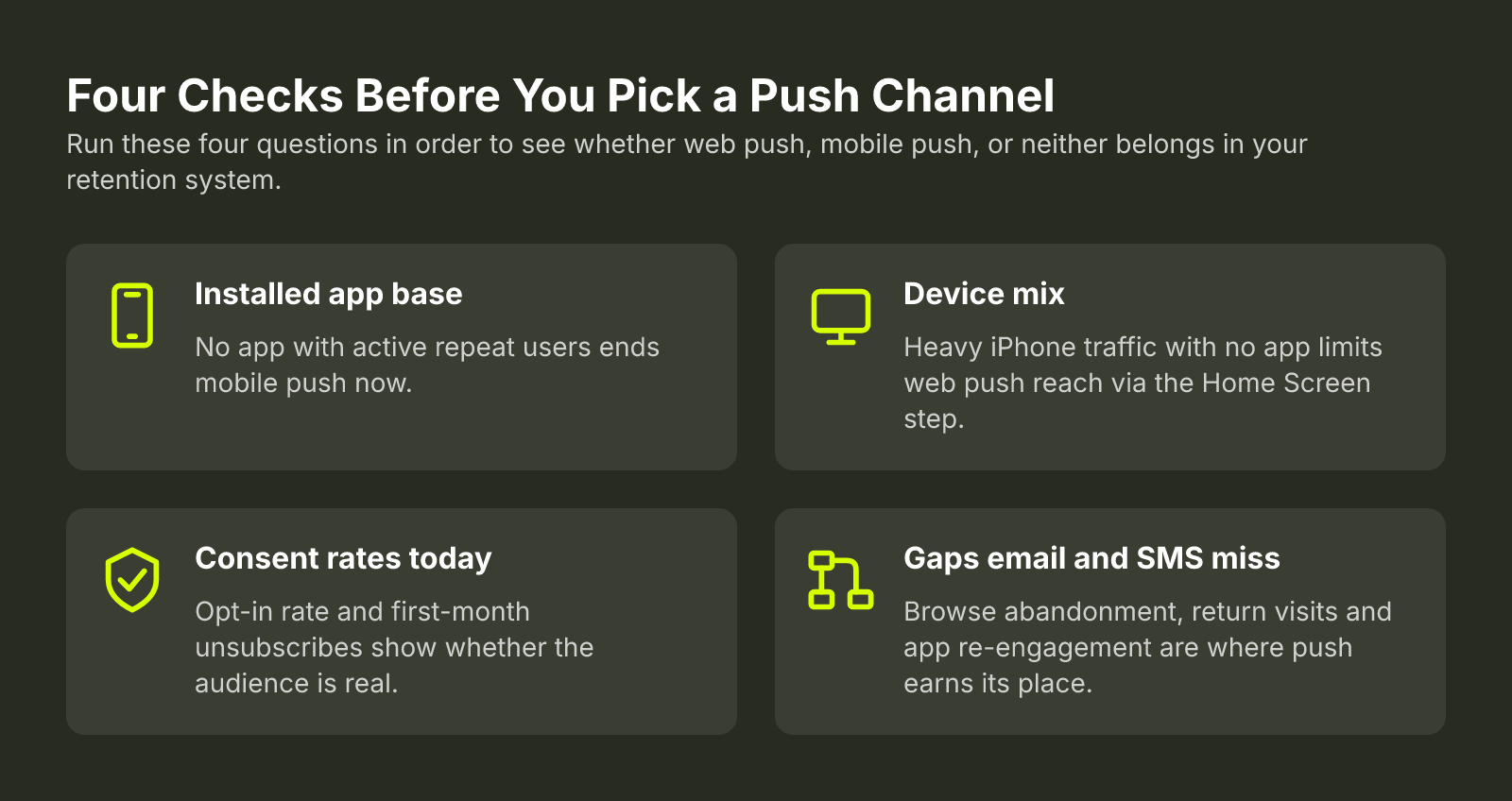
How to decide in four checks
- Do you have an app with an active installed base? If not, mobile push is off the table for now. If yes, check what share of repeat buyers use it.
- What does your device mix look like? A heavy iPhone audience with no app limits web push reach because of the Home Screen requirement.
- What are your consent rates today? If you already prompt for push, the opt-in rate and the unsubscribe rate after the first month tell you whether the audience is real.
- Which moments are not covered by email and SMS? Browse abandonment, return visits and app re-engagement are the gaps push fills. If those are already handled, push may add pressure without adding revenue.
For most brands without an app, the answer is web push as a modest, behavior-based layer. For brands with a loyal app audience, mobile push for that audience and web push for everyone else. Brands with neither a meaningful web audience nor an app should put their effort elsewhere first.
FAQ
What does web push mean?
Web push is a notification delivered through a browser after a visitor grants permission on your site. It works without an app and can reach the subscriber after they leave the page.
What does mobile push mean?
Mobile push is a notification sent by an installed app. The customer must install the app and allow notifications in the operating system before you can message them.
Can you provide an example of a web push notification?
A common eCommerce example is a browse reminder: “Still thinking about the trail runner? It’s available in your size.” It is triggered by product views, names the item, and links straight back to the product page.
Can you send push notifications from a web app?
Yes. On iPhone and iPad, a web app added to the Home Screen can request permission after a user action, such as tapping a subscribe button, and then send notifications. Other browsers can deliver web push to visitors who opted in.
The decision in short
Choose the push channel your customers can actually receive, not the one with the longer feature list. For most DTC brands, that means web push first, scoped carefully, with mobile push added only when an app has a real installed base.
If you want a second opinion on where push fits in your current retention system, our team can review device mix, consent rates and channel overlap with you. Book a call with Retention Side and we will map it against your email and SMS setup.